Healthcare Workflow Automation: Reduce Admin Burden & No-Shows
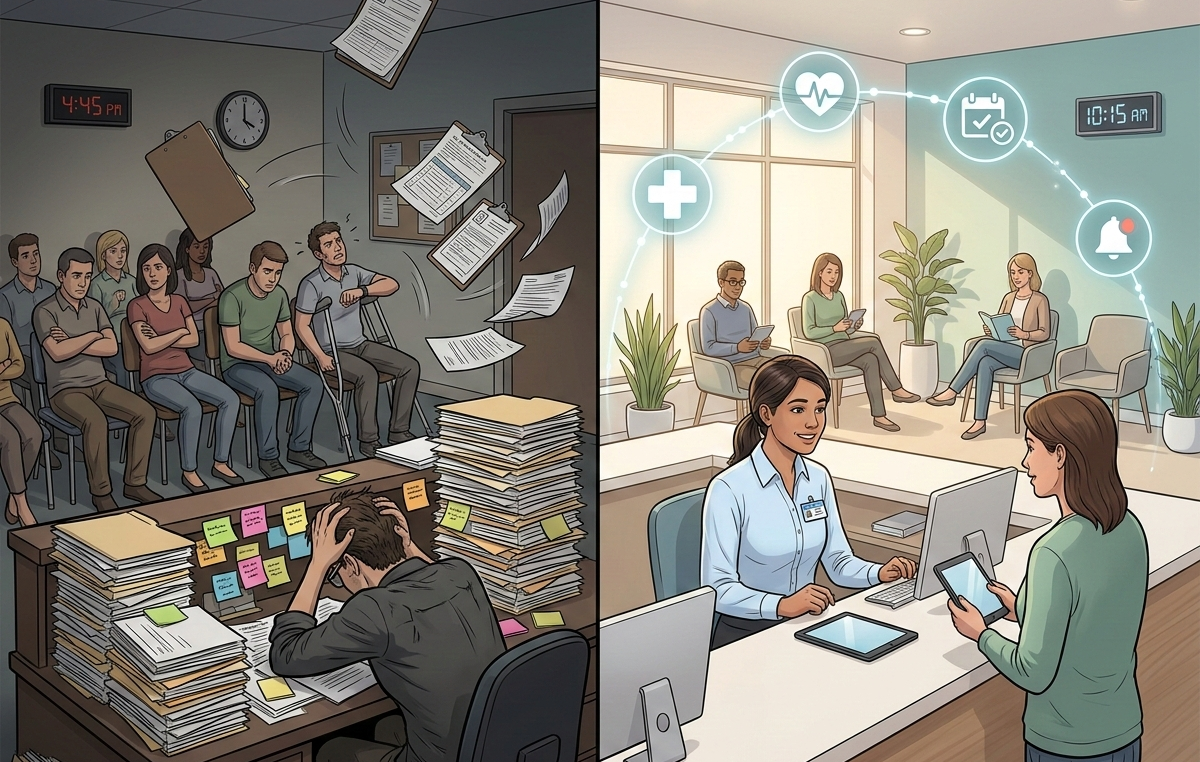
Discover how healthcare workflow automation reduces no-shows by 50%, cuts billing denials 40%, and saves hours of admin work weekly. Learn where to start.
Running a medical practice has always required balancing clinical excellence with operational complexity. But something has shifted in recent years. The administrative load, the scheduling calls, the reminder outreach, the insurance verification, the billing follow-up, has grown to the point where it is genuinely competing with patient care for your team's attention and energy.
You did not go into healthcare to spend your days chasing claim denials or manually confirming appointments. Your staff did not take their roles to spend hours on the phone rescheduling patients who did not show up. Yet here you are, watching talented people burn time on tasks that feel necessary but never quite feel like the real work.
The numbers behind this problem are striking. Administrative tasks now account for approximately 30% of all U.S. healthcare spending. The average medical practice loses 14% of scheduled appointments to no-shows. Billing errors cost practices billions in denied claims every year, and the majority of those denials, 56%, by some measures, are eventually overturned on appeal, meaning the underlying care was reimbursable all along. The system is not broken because of a lack of effort. It is breaking down because of a reliance on manual processes that were never designed to scale.
Healthcare workflow automation is changing this equation for practices across the country. The market for these tools has reached $15.99 billion in 2025 and is growing at more than 10% annually, driven by a simple reality: automation works. AI-powered scheduling systems are reducing administrative burden by up to 80%. Automated appointment reminders are cutting no-show rates by 30% to 50%. Billing automation is improving cash flow by 40% while reducing denial rates by 30% to 40%.
If you are new to automation, here is the simplest way to think about it: workflow automation connects your existing software tools so they can share data and trigger actions without manual intervention. When a patient books an appointment online, automation can add it to your calendar, send a confirmation text, create a chart entry, and schedule a reminder, all without anyone on your staff lifting a finger. The technology handles the repetitive work so your team can focus on what actually requires human judgment and empathy.
Automating Patient Scheduling: Reclaim 80% of Your Admin Time
The Scheduling Chaos You Know Too Well
Your front desk staff are probably exhausted from playing phone tag. Patients call during lunch breaks, after hours, or while your team is already on another line. Double-bookings happen because someone forgot to block a slot. Cancellations create gaps that could have been filled if only you had known sooner. Every scheduling interaction that requires human intervention is time your staff cannot spend on patient care.
The problem compounds as practices grow. More providers mean more schedules to coordinate. More locations mean more calendars to sync. More services mean more appointment types with different duration requirements. The mental load of keeping all of this straight is enormous, and mistakes are inevitable when humans are the glue holding it all together.
What Scheduling Automation Actually Looks Like
Automated scheduling does not replace your judgment. It removes the repetitive mechanics that consume your team's day. Here is what changes:
Online self-scheduling lets patients book appointments through your website or patient portal at any hour. The system only shows slots you have actually made available, eliminating double-bookings. Patients can see real-time availability and choose what works for them without calling your office.
Calendar synchronization keeps every provider's schedule updated across all platforms. When an appointment is booked in one system, it appears instantly everywhere else. No more manually copying appointments between your EHR, Google Calendar, and provider schedules.
Automated confirmations send immediate confirmation messages via text or email, reducing the "did my appointment go through?" calls that interrupt your workflow.
Waitlist management automatically fills cancellation slots by notifying patients who wanted earlier appointments, recovering revenue that would otherwise be lost.
The Before and After
Before automation, a typical scheduling workflow might look like this: Patient calls during business hours. Staff member answers, checks availability in the EHR, offers options, takes down information, creates the appointment, hangs up, then manually sends a confirmation email or makes a reminder call later. Time per booking: 8-12 minutes.
After automation: Patient books online at 10 PM. The appointment appears in your EHR, syncs to the provider's calendar, triggers an immediate confirmation text, and schedules reminder messages for three days and one day before the appointment. Staff involvement: zero minutes for routine bookings.
For a practice booking 200 appointments weekly, this represents 25-40 hours of staff time reclaimed. That is the equivalent of adding half a full-time employee without hiring anyone.
How n8n Powers Scheduling Workflows
n8n connects your scheduling tools without requiring code. You can link Calendly or Acuity Scheduling to your EHR system, Google Calendar, and communication platforms. When a patient books, n8n can trigger a chain of actions: create the EHR encounter, notify the provider via Slack, add the patient to your CRM, and queue up reminder messages. Because n8n is self-hostable, you maintain full control over patient data, a critical consideration for HIPAA compliance.
Automated Appointment Reminders: Cut No-Shows by 50%
The Hidden Cost of Empty Chairs
No-shows are expensive. When a patient does not show and you cannot fill the slot, you lose the revenue permanently. For a practice with 14% no-show rate, the industry average, this translates to roughly one in seven appointments going unfilled. Over a year, a five-provider practice might lose $150,000 or more to no-shows alone.
The traditional response is manual reminder calls. Staff members spend hours each week dialing numbers, leaving voicemails, and rescheduling. The cost of these calls adds up quickly, around €0.90 per patient for manual outreach. And still, patients forget. They wrote down the wrong time. They meant to call and reschedule but got busy.
What Reminder Automation Changes
Automated reminder systems use multiple channels, SMS, email, and voice, to reach patients through their preferred method. Research shows this multi-channel approach reduces no-shows by 30% to 50%, with some implementations achieving up to 80% reduction.
The mechanics are straightforward but powerful:
Multi-channel delivery sends reminders via text, email, and voice call based on patient preferences. Text messages alone reduce no-shows by approximately 38%.
Two-way communication lets patients confirm, cancel, or request rescheduling by replying to the message. Cancellations made in advance can be automatically offered to waitlisted patients, recovering the slot.
Strategic timing sends initial reminders three days before appointments, with follow-ups the day before. This cadence maximizes recall without annoying patients.
Cost efficiency drops the per-patient cost to around €0.14 for automated systems versus €0.90 for manual calls, an 84% reduction in outreach costs.
The Revenue Impact
Consider a practice with 1,000 monthly appointments and a 14% no-show rate. That is 140 no-shows monthly. At an average appointment value of $150, monthly no-show cost is $21,000, $252,000 annually.
Reducing no-shows by 40% through automation would recover 56 appointments monthly. That is $8,400 in monthly revenue, or $100,800 annually. Against this, the cost of automated reminders is negligible. One study documented a $5.2 million ROI from comprehensive reminder automation across a multi-location practice.
How n8n Handles Reminder Workflows
n8n can orchestrate reminder sequences by connecting your EHR or scheduling system to communication platforms like Twilio (for SMS), SendGrid (for email), and voice services. Workflows trigger based on appointment dates, sending personalized messages with patient names and appointment details. Responses flow back into your system, updating appointment statuses automatically. The unlimited execution model means you pay the same whether you send 100 or 10,000 reminders monthly, a significant advantage over per-message pricing models.
Patient Intake Automation: Eliminate Paperwork Bottlenecks
The Paperwork Problem
Your waiting room tells a story. Patients arrive early to fill out forms. They forget their insurance cards and have to call home. Handwriting is illegible. Someone always checks the wrong box, requiring staff to chase down clarifications. Meanwhile, your front desk is manually entering this data into the EHR while the phone rings and other patients wait.
Digital forms help, but they often create new problems. Patients fill them out on tablets in the waiting room, still taking up time and space. The data might export to a spreadsheet that someone has to manually import. The forms do not talk to your other systems, so the administrative burden just shifts rather than disappears.
What Intake Automation Looks Like
Automated intake moves the entire process before the patient arrives and connects the data directly to where it needs to go:
Pre-visit digital forms are sent automatically when appointments are booked. Patients complete them at home on their own devices, reducing waiting room congestion and giving them time to gather accurate information.
EHR integration means form responses populate patient charts automatically. No manual data entry. No transcription errors. Staff simply review for completeness rather than typing everything from scratch.
Insurance verification runs automatically when appointments are scheduled, flagging coverage issues before the patient arrives. This prevents the awkward discovery of lapsed coverage at check-in.
Data accuracy improvements of up to 45% have been documented with digital pre-visit questionnaires compared to paper forms. Patients make fewer errors when they have time to complete forms thoughtfully.
The Productivity Gain
Automated intake increases staff productivity by 30% to 40%. The time savings come from multiple sources: no more manual data entry, fewer errors to correct, reduced waiting room management, and faster check-ins. Staff can focus on patient interaction rather than paperwork processing.
For a practice seeing 50 patients daily, saving 5 minutes per patient on intake and data entry represents over 4 hours of staff time reclaimed daily.
HIPAA and Compliance Considerations
Healthcare data requires careful handling. n8n's self-hosted option keeps all patient data within your infrastructure, giving you full control over security and compliance. Data never passes through third-party servers you do not control. This is a critical distinction from cloud-only automation platforms that may not meet your compliance requirements.
Medical Billing Automation: Stop Leaving Revenue on the Table
The Claims Denial Problem
If your practice is like most, somewhere between 5% and 10% of submitted claims are denied on the first pass. That might sound manageable until you consider what happens next: staff members spend hours tracking down the denial reason, gathering documentation, resubmitting, and following up. Meanwhile, cash flow stalls and your team falls further behind.
Here is a number worth sitting with: 56% of denied claims are eventually overturned on appeal. That means the majority of denied claims were payable all along. The problem was not the care delivered or even the documentation, it was errors and gaps in the claims submission process itself.
Where Billing Breaks Down
Manual billing workflows introduce friction at every step. Eligibility verification gets skipped or delayed. Codes get entered incorrectly. Claims go out with missing modifiers. Each of these small failures creates a downstream cascade that your billing staff has to untangle, often while also managing new patient intake, phone calls, and prior authorizations.
The result is a revenue cycle that leaks money quietly and continuously. Research shows that healthcare administrative tasks account for roughly 30% of all U.S. healthcare spending, a staggering figure that reflects just how costly manual processes have become across the industry.
What Billing Automation Actually Does
Automated billing systems do not replace your billing team. They make your billing team significantly more effective by handling the repetitive, rule-based tasks that consume time without requiring clinical judgment.
Practical examples of what automation handles include:
Eligibility verification runs automatically when an appointment is scheduled, flagging coverage gaps or policy changes before the patient arrives. This prevents the costly scenario of providing care that will not be reimbursed.
Claim scrubbing checks submissions against payer rules before they go out, catching errors that would trigger denials. Clean claims get paid faster.
Automated submission sends claims to payers immediately after encounters are documented, eliminating the lag time that delays payment.
Denial management tracks denied claims, categorizes denial reasons, and routes them to appropriate staff for resolution. Patterns in denials become visible, allowing you to fix systemic issues.
Payment posting reconciles payments against claims automatically, flagging discrepancies for review.
The ROI Timeline
Healthcare billing automation typically shows ROI within 40 days to 12 months. The speed depends on your current denial rate and claim volume, but improvements are usually visible within the first billing cycle.
Practices report 30% to 40% reductions in denial rates after implementing automated claim scrubbing. Cash flow improvements of 40% are common as clean claims process faster and denials decrease. The combination of fewer denials and faster payment creates a compounding effect on revenue.
How n8n Connects Billing Workflows
n8n integrates billing systems, EHRs, and accounting platforms like QuickBooks. When an encounter is closed, n8n can trigger claim generation, verify eligibility, check for common errors, and route clean claims to submission. Payment data flows back to update patient accounts and financial reports. The open-source nature means you can customize workflows to match your specific payer mix and billing requirements.
Your 90-Day Healthcare Automation Roadmap
You do not need to automate everything at once. In fact, trying to do too much simultaneously is a common reason automation projects stall. Here is a practical 90-day implementation path:
Month 1: Quick Wins with Appointment Reminders
Start with automated reminders. They are relatively simple to implement, deliver immediate ROI through reduced no-shows, and free up staff time quickly. Most practices can deploy reminder automation within two weeks.
The workflow is straightforward: connect your scheduling system to an SMS/email service, set up reminder triggers based on appointment dates, and configure two-way responses for confirmations and cancellations. You will see results immediately, typically a 20% to 30% no-show reduction within the first month.
Month 2: Streamline Scheduling
With reminders working, tackle scheduling automation. Implement online self-scheduling for appropriate appointment types. Sync calendars across your EHR and provider schedules. Add waitlist management to recover cancellation slots.
This phase requires more configuration to match your specific appointment types and provider preferences, but the time savings are substantial. Staff scheduling time typically drops by 70% or more for routine appointments.
Month 3: Integrate Intake and Billing
In the final month, connect intake forms to your EHR and automate billing workflows. These integrations require careful attention to data mapping and compliance, but they deliver the deepest efficiency gains.
By day 90, you will have transformed your practice's administrative operations without replacing any core systems. Your existing EHR, scheduling tools, and billing software remain in place, they simply work together more intelligently.
Why n8n Is the Smart Choice for Healthcare Practices
Several workflow automation platforms exist, but n8n offers specific advantages for healthcare environments:
Self-hosting for HIPAA compliance keeps patient data within your infrastructure. Unlike cloud-only platforms that process data on their servers, n8n self-hosted gives you complete control over data security and access logging.
Unlimited executions mean your costs do not scale with usage. Whether you process 100 or 10,000 automated tasks monthly, your infrastructure costs remain predictable. This is a significant advantage over platforms charging per task or per operation.
400+ integrations connect virtually every healthcare and business tool you use: Epic, Cerner, Athenahealth, Calendly, Twilio, SendGrid, QuickBooks, Google Workspace, and hundreds more.
Open source and cost-effective at scale. n8n's fair-code license means no per-user fees or escalating subscription costs as your practice grows. The total cost of ownership is typically 60% to 80% lower than comparable commercial platforms for practices with significant automation volume.
No coding required for most workflows. Visual workflow building means your operations staff can create and modify automations without involving developers.
Ready to Reclaim Your Practice?
Administrative burden does not have to be the price of running a medical practice. The technology exists today to handle the repetitive work that consumes your team's time and energy. The practices that embrace automation are not just saving money, they are creating environments where staff can focus on patients rather than paperwork, where providers can practice medicine rather than manage processes, and where the business of healthcare actually supports the mission of healthcare.
If you are ready to explore what workflow automation could look like for your practice, the team at n8nme.com specializes in healthcare automation implementations. We understand the compliance requirements, the integration challenges, and the operational realities of medical practices. More importantly, we understand that your goal is not to become more technical, it is to spend more time on the work that matters.
Visit N8Nme.com to schedule a consultation and see how automation can transform your practice.


