Finance Workflow Automation: How accounting teams are eliminating manual work and closing the books faster
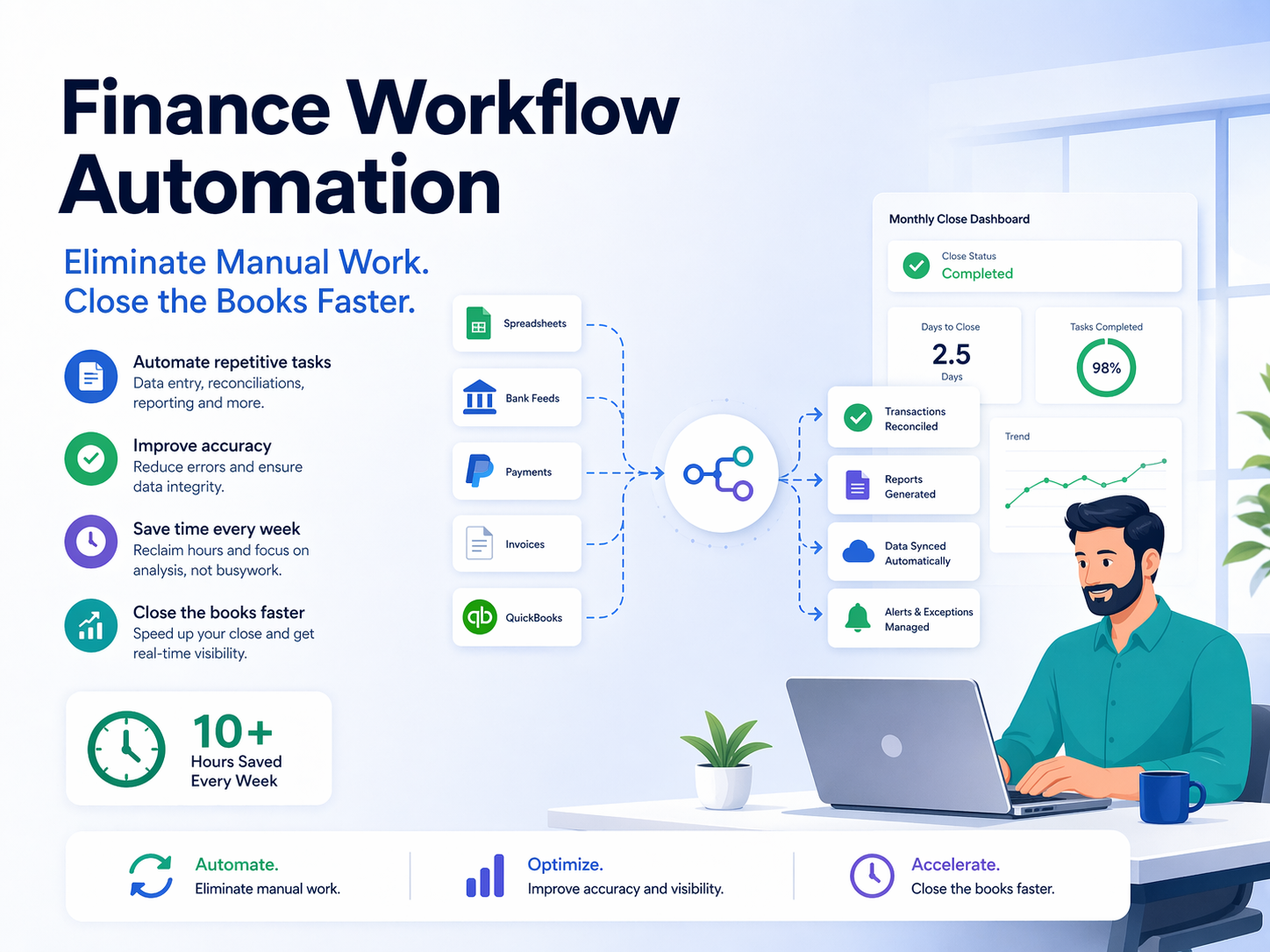
Discover how finance & accounting teams use workflow automation to eliminate manual tasks, speed up reporting, and reduce errors. Learn how n8n can help.
If your finance or accounting team is still manually exporting spreadsheets, copy-pasting invoice data, or chasing down approvals at month-end, you're not alone, and you're leaving significant time and money on the table. Across industries, finance teams are under mounting pressure to do more with less: close the books faster, maintain airtight audit trails, and deliver real-time insights to leadership. The answer isn't hiring more people. It's smarter workflow automation.
This guide breaks down exactly where finance and accounting workflows break down, which tasks are ripe for automation, and how modern tools, including the increasingly popular open-source platform n8n, are helping finance teams reclaim hours every week without sacrificing accuracy or compliance.
The Hidden Cost of Manual Finance Workflows
Manual processes are the silent drain on every finance department. According to industry research, finance professionals spend up to 30% of their time on repetitive, manual tasks that add no analytical value. That's nearly a third of your team's capacity absorbed by data entry, file transfers, and status updates.
Here's what that looks like in practice:
Data Entry and Rekeying Errors When your accounts payable team manually enters invoice data from PDFs into your ERP, errors are inevitable. A misplaced decimal, a wrong vendor code, or a duplicated line item can cascade into reconciliation nightmares that take hours, or days, to untangle. Studies suggest that manual data entry carries an error rate of between 1% and 4%, which sounds small until you're processing hundreds of invoices a month.
Disconnected Systems Most finance teams operate across a patchwork of tools: an ERP like NetSuite or SAP, a bank portal, a payroll platform, a CRM for revenue data, and spreadsheets stitched together by email threads. Without integration, information has to be manually extracted from one system and entered into another, a process that is slow, error-prone, and nearly impossible to audit reliably.
Approval Bottlenecks Purchase orders, expense reports, and vendor invoices often sit in someone's inbox for days waiting for approval. There's no visibility into where a request stands, no automatic escalation when someone is on leave, and no audit trail unless someone remembers to CC the right people. These bottlenecks don't just slow down operations, they damage vendor relationships and can result in late payment penalties.
Month-End Close Pressure The month-end close is the most stressful period in any accounting team's calendar. Teams scramble to reconcile accounts, accrue expenses, post journal entries, and generate financial statements, all within a shrinking window. When each of those steps is manual, the margin for error expands while the margin for time shrinks. Finance workflow automation can transform a chaotic close process into a predictable, repeatable sequence of events.
High-Impact Accounting Tasks You Can Automate Right Now
Not every finance process is equally suited to automation, but several high-volume, rule-based tasks are excellent candidates. These are the workflows where automation delivers the fastest return on investment.
Accounts Payable Automation
Accounts payable is one of the most labor-intensive areas of any finance department, and also one of the most automatable. A modern accounts payable automation workflow can:
- Capture invoice data automatically from email attachments or supplier portals using OCR (optical character recognition)
- Match invoices to purchase orders and receipts through a three-way match process without human intervention
- Route invoices to the appropriate approver based on amount, department, or vendor
- Post approved invoices directly to your ERP or accounting software
- Trigger payment runs on schedule or upon approval
- Archive invoice records with timestamps for audit purposes
The result is a dramatic reduction in processing time per invoice, fewer errors, and a complete digital audit trail, all of which become critical during audits or tax season.
Financial Reporting Automation
Financial reporting automation is one of the highest-value opportunities available to modern finance teams. Instead of manually pulling data from multiple systems, formatting it in Excel, and emailing a static PDF to stakeholders every month, you can build automated workflows that:
- Pull data from your ERP, CRM, and banking systems on a scheduled basis
- Consolidate and transform the data according to your reporting templates
- Populate live dashboards or generate formatted reports automatically
- Distribute reports to the right stakeholders via email or Slack at a defined time
- Alert finance managers when key metrics deviate from targets or thresholds are crossed
This kind of financial reporting automation means leadership gets real-time visibility without the finance team spending a full day each month building the same report from scratch.
Bank Reconciliation and Cash Flow Monitoring
Reconciling bank statements against your general ledger is one of those tasks that is absolutely necessary but also deeply tedious. Automation tools can connect directly to banking APIs or import bank feeds automatically, match transactions against ledger entries using configurable rules, flag discrepancies for human review, and generate daily or weekly reconciliation reports. Cash flow monitoring workflows can also send proactive alerts when account balances drop below a defined threshold, ensuring your treasury team always has the visibility they need without manual checking.
Expense Management and Reimbursements
Employee expense workflows are another classic source of friction. Receipts get lost, policies get violated, and reimbursements get delayed. Automating expense workflows can route submitted expenses for manager approval based on policy rules, check submissions against your expense policy automatically, sync approved expenses to payroll or your accounting system, and notify employees of approval status without manual follow-up.
Month-End Close Checklists and Journal Entries
Automating accounting tasks around the month-end close is where many finance teams see the most dramatic time savings. You can automate the creation and distribution of close checklists, send automated reminders to department heads for accrual submissions, auto-post recurring journal entries on a schedule, and generate preliminary financial statements for controller review before final sign-off. These automations don't remove human judgment from the process, they eliminate the coordination overhead so your team can focus on analysis and accuracy.
Common Pitfalls of Traditional Automation Approaches
Despite the clear benefits, many finance teams have tried automation tools before and come away frustrated. Understanding why earlier attempts fell short helps you choose the right approach this time.
Rigid, Pre-Built Integrations Many accounting automation tools promise out-of-the-box integrations but deliver solutions that are too rigid to fit your specific workflows. You end up customizing around the edges using spreadsheets anyway, which defeats the purpose.
Vendor Lock-In and Data Security Concerns For finance teams, data security is non-negotiable. Sending sensitive financial data through a third-party cloud platform raises real compliance concerns, especially for organizations subject to SOC 2, GDPR, or industry-specific regulations. Many cloud-based automation tools require your data to flow through their servers, which creates risk and may conflict with your data governance policies.
High Licensing Costs That Don't Scale Enterprise automation platforms can be extraordinarily expensive, especially when pricing is tied to the number of workflows, users, or tasks processed. Finance teams often find they've automated their simplest, cheapest workflows and can't afford to automate the ones that would actually move the needle.
IT Dependency Many automation platforms require significant IT involvement to set up and maintain, creating a bottleneck for finance teams that want to move quickly. When every new integration requires a ticket, momentum stalls.
How n8n Helps Finance Teams Automate Without Compromise
This is where n8n enters the picture. n8n is an open-source workflow automation platform that allows finance and accounting teams to build powerful, flexible automation workflows that connect virtually any application or data source, without requiring deep coding knowledge or expensive licensing fees.
Think of n8n as a visual workflow builder with serious technical depth underneath. Using its drag-and-drop interface, finance professionals and their IT counterparts can design workflows that trigger actions automatically based on events, schedules, or data conditions. And because it connects to hundreds of apps and APIs out of the box, including QuickBooks, Xero, NetSuite, Salesforce, Slack, Google Sheets, Microsoft 365, and virtually any REST API, it can fit into almost any existing finance tech stack.
Why Finance Teams Specifically Choose n8n
Self-Hosting for Data Security and Compliance One of the most important differentiators for finance teams is that n8n can be fully self-hosted on your own infrastructure. This means your sensitive financial data, invoices, bank records, payroll data, financial statements, never leaves your environment. For organizations subject to data residency requirements, SOC 2 audits, GDPR compliance, or internal data governance policies, this is a significant advantage over cloud-only automation platforms.
Flexibility Without Requiring a Developer n8n's visual workflow builder is accessible enough that a financially-literate analyst or operations manager can build and modify workflows independently. For more complex logic, conditional branching, data transformations, API calls, n8n supports custom JavaScript or Python expressions, giving technical users the power to go deeper without imposing that complexity on everyone.
Real Workflow Examples Finance Teams Are Building with n8n
- Automated Invoice Processing Pipeline: Email arrives with an invoice attachment → n8n extracts the attachment, sends it to an OCR tool for data extraction → parses the resulting data → checks against open POs in the ERP → routes to the correct approver via Slack or email → posts to the accounting system upon approval → archives the document in cloud storage with a full audit log.
- Automated Financial Reporting: n8n triggers on a schedule → pulls revenue data from the CRM, cost data from the ERP, and actuals from the accounting platform → consolidates data in a Google Sheet or database → formats and sends a management report via email or populates a dashboard → alerts the CFO if any metric deviates beyond a set threshold.
- Bank Reconciliation Workflow: n8n connects to the banking API daily → imports new transactions → compares against ledger entries → auto-matches clear items using configurable rules → generates an exception report for the accounting team → posts matched entries to the accounting system.
- Month-End Close Coordination: On the last business day of the month, n8n sends close checklists to department owners → tracks acknowledgements → posts recurring journal entries automatically → sends escalation reminders for overdue items → notifies the controller when all tasks are complete.
Cost-Effective Scaling Because n8n is open-source, the core platform is free to self-host. Finance teams can build as many workflows as they need, process as many transactions as their infrastructure supports, and add users without worrying about per-seat pricing. For teams that prefer a managed version, N8Nme offers an affordable hosted option, but the self-hosted route remains a compelling choice for cost-conscious finance operations.
A Growing Library of Integrations and Community Templates With over 400 native integrations and an active open-source community, n8n has a rich ecosystem of pre-built workflow templates that finance teams can adapt rather than build from scratch. Common financial workflows, invoice routing, expense approval, financial alert systems, are already documented and available to deploy quickly.
Getting Started Without Disrupting Your Existing Stack
One of the most practical aspects of implementing n8n in a finance environment is that it doesn't require ripping and replacing your existing systems. n8n sits as an orchestration layer on top of your current tools, connecting them together without requiring you to change the systems themselves. Your team continues working in the same ERP, the same accounting platform, and the same communication tools, they just stop doing the manual work in between.
A reasonable starting point is to identify the single most time-consuming manual task in your current workflow, likely invoice data entry or month-end close coordination, and build one automation to address it. The time savings from that first workflow typically generates enough momentum and internal buy-in to expand the automation program from there.
Start Automating Your Finance Workflows Today
Manual data entry, reconciliation delays, approval bottlenecks, and last-minute month-end scrambles are not inevitable features of running a finance team. They are solvable problems, and workflow automation is the solution that forward-thinking finance leaders are already deploying.
n8n gives finance and accounting teams the flexibility to automate virtually any process, the security to do it within their own infrastructure, and the accessibility to build and maintain workflows without full-time developer support. Whether you're looking to tackle accounts payable automation, financial reporting automation, or a complete month-end close transformation, n8n provides a platform that scales with your ambitions.
Ready to see what your finance team could do with the hours they're currently spending on manual work? Explore n8n's finance workflow templates and start building your first automation, no vendor lock-in, no per-task pricing, and no compromise on data security.
Register now to get started for free and join thousands of teams already automating their most critical workflows.


