E-Commerce Workflow Automation: 5 Time-Saving Wins for Busy Store Owners
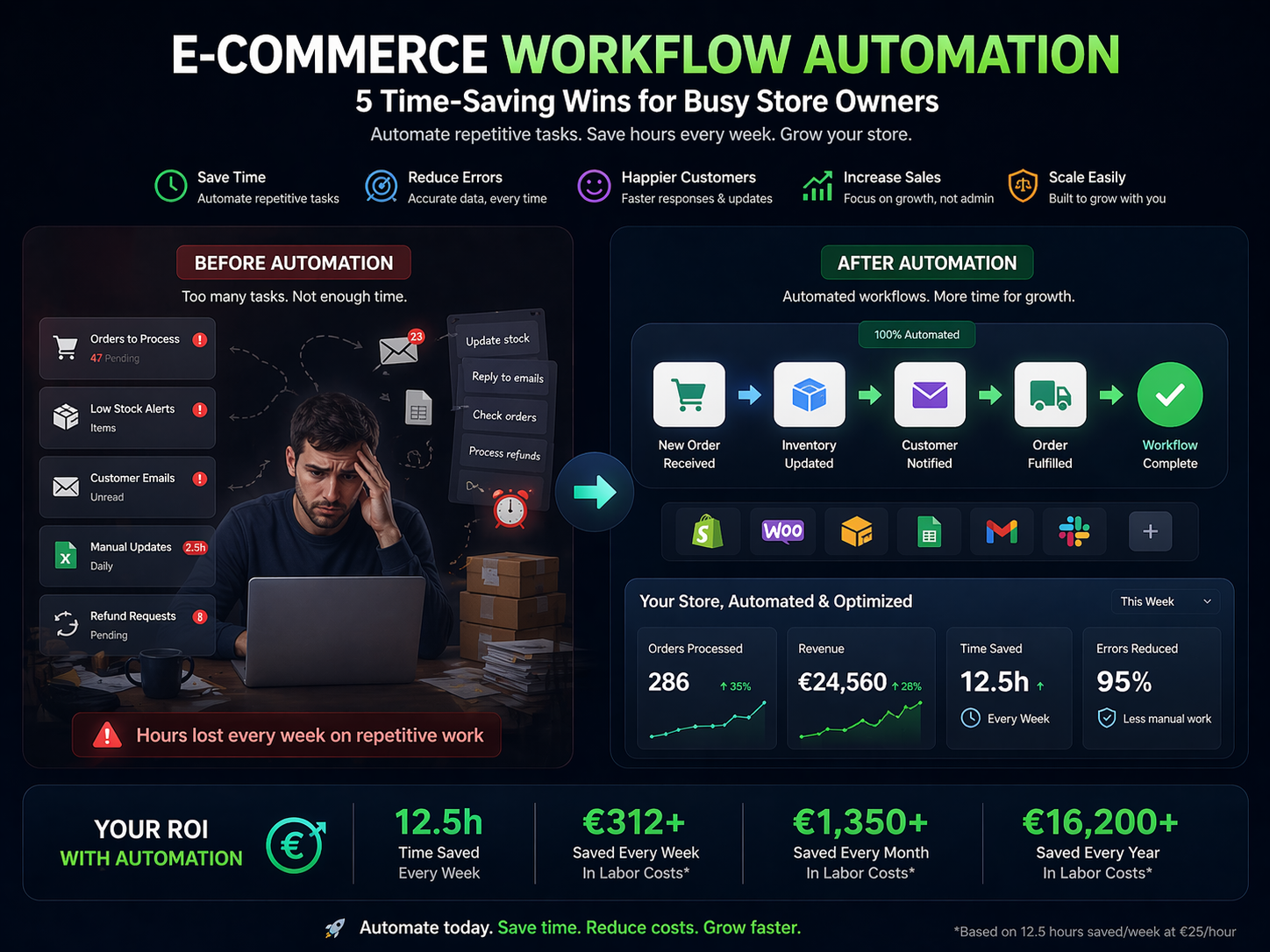
Stop drowning in manual tasks. Learn how e-commerce automation fixes inventory sync, order management, abandoned carts, and WISMO, and saves hours every week.
It's 11pm and you're still at your desk. You're copy-pasting tracking numbers into emails, manually updating stock levels across three platforms, and wading through a inbox full of "Where is my order?" messages, all while knowing your abandoned cart follow-ups aren't going out on time. If this sounds familiar, you're not running an unusual operation. This is the daily reality for thousands of e-commerce SMB owners, and e-commerce workflow automation is the thing most of them haven't had time to explore yet.
The numbers behind this exhaustion are stark. Research shows 58% of retailers operate with inventory accuracy below 80%, meaning nearly 1 in 5 products is miscounted, misplaced, or mispriced at any given moment. "Where is my order" (WISMO) queries alone account for 20-40% of all customer support tickets, eating hours your team doesn't have. And abandoned carts? They cost online retailers an estimated $18 billion in lost revenue every single year.
The good news is that none of these problems require more staff, longer hours, or expensive enterprise software to fix. Automation means setting up simple rules, if this happens, do that, so your store handles the repetitive stuff while you focus on growing the business. The right platform can connect your Shopify store, your email tool, your inventory system, and your support desk without you writing a single line of code.
In this guide, you'll discover the 5 biggest automation wins for e-commerce stores and exactly how to implement them, starting today.
How to Sync Inventory Across Shopify, Amazon, and eBay (Without the Oversell Chaos)
If you're selling on multiple channels, you already know the dread: a flash sale goes live, orders pour in, and somewhere between Shopify, Amazon, and eBay, the numbers stop adding up. You're issuing refunds, sending apology emails, and losing customers you worked hard to win. You're not alone, 58% of retailers operate with inventory accuracy below 80%, and most of the blame falls on polling-based sync systems that only update every 30 to 60 minutes. During a promotion, that gap is everything.
Here's what the "before" looks like for most multi-channel sellers. A store owner starts each morning manually checking stock levels across three dashboards. SKU formats don't match between platforms, so reconciliation is a spreadsheet nightmare. A weekend sale clears 40 units in 90 minutes, but Amazon doesn't know that until the next polling cycle, so it keeps selling. By Monday, there are 17 oversells, a damaged seller rating, and a support queue full of frustrated buyers. Bundle products make it worse, because selling a kit on eBay doesn't automatically reduce the individual components tracked in Shopify.
The "after" looks completely different with event-driven automation. Every sale on any channel fires an instant trigger, no waiting, no polling lag. Inventory updates propagate across all platforms in seconds. Buffers can be set per channel (hold back 5 units on Amazon during peak hours, for example). SKU mapping validates automatically so a mismatched product code never causes a ghost listing. Bundles decrement every component correctly the moment an order lands. Businesses that make this shift report up to 90-95% fewer oversell incidents and an average 35% improvement in overall inventory accuracy.
Here's what a fully automated inventory sync workflow handles for you:
- Real-time stock updates pushed to all channels the moment a sale occurs on any one of them
- Per-channel safety buffers to protect against simultaneous demand spikes
- Automatic SKU mapping that translates between platform-specific product identifiers
- Bundle/kit logic that deducts all component quantities in a single transaction
- Low-stock alerts sent to your team before a stockout happens, not after
Tools like n8n (available at n8nme.com) let you build these event-driven workflows connecting Shopify, Amazon, eBay, and your warehouse or 3PL, with no code required. You define the logic once, and the system handles every sale automatically from that point forward.
Abandoned Cart Automation: How to Recover Lost Revenue Without Lifting a Finger
Over 70% of shoppers who add something to your cart will leave without buying. That's not a rounding error, it's the majority of your hard-won traffic walking out the door.
Most store owners send one generic "you forgot something!" email. Maybe a discount code. No follow-up. No logic behind it. That approach leaves serious money on the table.
Abandoned cart email flows average $3.65 in revenue per recipient, and for stores with an average order value above $100, that figure climbs to $7-$14 per recipient. The placed order rate sits around 3.33%, which sounds small until you do the math at scale.
What Most Stores Are Actually Doing
The typical setup looks like this: a customer abandons a $180 cart, gets the same "come back!" email as the person who left behind a $12 item, and that's the end of the conversation. No second touch. No SMS. No consideration of whether they're a first-time visitor or a loyal repeat buyer.
Worse, many owners manually send blanket discount codes, burning margin on customers who were likely coming back anyway.
What Automated Abandonment Recovery Actually Looks Like
A properly built workflow doesn't treat every abandonment the same. Here's what intelligent branching looks like in practice:
- Cart value threshold, high-value carts get priority sequences with more touchpoints
- Customer status, new visitors get social proof and trust signals; repeat buyers get loyalty-focused messaging
- Product margin, low-margin items suppress discount triggers to protect profitability
- Inventory risk, low-stock items fire urgency messaging automatically
- Channel sequencing, email at hour 1, SMS reminder at hour 24, final email at 72 hours
Discounts only trigger when the workflow predicts they're necessary to close the sale, not as a default.
How n8n Connects the Pieces
With n8n, you can wire Shopify abandonment events directly into branching logic that routes customers through Klaviyo email sequences, Postmark transactional sends, and Twilio SMS, all in a single workflow. No duct tape. No manual hand-offs between tools.
The result: every abandoned cart gets a response that's proportional, personalized, and margin-aware, running completely on autopilot.
How to Reduce Customer Support Tickets in E-Commerce: Killing the WISMO Problem
If your support inbox feels like it's swallowing your team alive, you're not imagining it. "Where is my order?" queries, known as WISMO tickets, account for 20-40% of all e-commerce support volume. During Black Friday and holiday peaks, that number climbs even higher.
Every single one of those tickets costs you money. Industry estimates put the average cost of handling a support ticket at $5-$15. Multiply that by hundreds of orders per week, and you're paying a significant "support tax" on sales you already worked hard to earn.
The painful part? Most of these tickets are 100% preventable.
What This Looks Like Before Automation
Your support staff starts the day staring at an inbox full of "any update on my order?" emails. They open Shopify, copy a tracking number, paste it into a reply, and move on to the next one. Repeat 80 times. Response times slip to 24-48 hours. Frustrated customers leave reviews about slow service, not about the product, about the silence.
This isn't a staffing problem. It's an information delivery problem.
What It Looks Like After
Customers receive proactive updates before they even think to ask. A self-serve tracking page handles the curious. An AI agent deflects the routine follow-ups. Your support team actually focuses on the issues that genuinely need a human.
Research consistently shows that proactive shipping notifications alone reduce WISMO tickets by 60-80%. Layer in an AI deflection layer, and you can deflect 45%+ of remaining routine queries without any human involvement.
The Automation Trigger Points That Matter
Here's where automated notifications should fire:
- Order confirmed, immediate reassurance with expected delivery window
- Order shipped, tracking number, carrier link, estimated arrival
- Out for delivery, same-day heads-up so customers are ready
- Delay detected, proactive apology before the customer notices
- Delivered, confirmation plus a soft prompt for feedback
- Return initiated, status updates throughout the return process
How n8n Orchestrates This
n8n can connect your Shopify or WooCommerce store directly to shipping carrier APIs, think ShipStation, EasyPost, or direct carrier feeds, and trigger the right message at every stage. Notifications route across email, SMS, and even internal Slack alerts for your team, all from a single automated workflow.
No more manual checking. No more copy-pasting. Just customers who feel looked after, and a support queue that finally breathes.
Automate Order Management in E-Commerce: From Sale to Doorstep Without the Manual Grind
Every order you ship has a hidden tax on it. Two minutes to print a label. Another minute to eyeball carrier rates. Thirty seconds to copy a tracking number into your CRM. Multiply that by 50, 100, or 300 orders a day and you have a part-time job that nobody hired for, what operations teams call a "hidden factory" of rework that never shows up on a P&L.
Most store owners don't measure it. They just feel the drag.
The Order Triage Problem Nobody Talks About
Before a label ever gets printed, orders need to be validated, risk-checked, and routed correctly. Done manually, this is invisible labor. Done wrong, it's a return, a chargeback, or a package shipped from the wrong warehouse.
An automated order triage router, built in n8n connecting your Shopify or WooCommerce store, handles this the moment an order is created:
- Address validation flags undeliverable addresses before fulfillment even starts
- Inventory check confirms stock at the right fulfillment location, not just globally
- Fraud/risk rules score the order and route high-risk transactions to a review queue automatically
- Exception routing surfaces only the orders that actually need human eyes, everything else moves forward untouched
The result is a clean, pre-validated order queue instead of a pile of problems discovered at pack time.
Shipping Automation That Pays for Itself Per Label
Once an order is validated and routed, the shipping layer kicks in. This is where automation delivers the most measurable ROI.
n8n connects directly to ShipStation, EasyPost, or carrier APIs to run a full shipping workflow in seconds:
- Batch label generation processes dozens of orders simultaneously, dropping per-label time from ~2 minutes to roughly 10 seconds
- Automated rate shopping applies your rules, cost ceiling, delivery promise, zone restrictions, and selects the right carrier without anyone opening a browser tab
- Address correction workflow catches and fixes common errors before a package ships, cutting address-related return rates from around 2% down to ~0.5%
- Tracking injection pushes tracking numbers directly into your storefront and CRM the moment a label generates, no copying, no delay
The rate shopping piece alone can save roughly $2 per order. At 100 orders a day, that's $6,000 a month left on the table if you're still choosing carriers by instinct.
The real win isn't speed, it's consistency. Every order gets the same logic, the same checks, the same care, whether it's your first shipment of the day or your four hundredth.
Your 90-Day E-Commerce Automation Roadmap
Month 1: Quick Wins
Start with abandoned cart recovery flows and WISMO (Where Is My Order?) notifications. These two workflows are low-complexity, connect directly to revenue, and will show measurable results within weeks. Most store owners recapture 5-15% of abandoned carts just by getting the timing and messaging right.
Month 2: Operational Wins
Once the quick wins are running, shift focus to inventory sync governance and order triage. Eliminating the manual back-and-forth between your store, warehouse, and suppliers reduces costly errors and frees up hours every week. This is where automation stops feeling like a nice-to-have and starts feeling essential.
Month 3: Advanced Automation
Now you're ready to tackle shipping automation, returns workflows, and multi-channel governance across Shopify, Amazon, eBay, and wherever else you sell. By the end of month three, you'll have a connected ops stack that runs largely without you. That's not a fantasy, it's just the result of stacking workflows deliberately.
Why SMB E-Commerce Owners Choose n8n
Your data stays with you. n8n is self-hostable, which means your customer data, order history, and business logic never have to live on someone else's servers. For store owners handling PII and payment-adjacent data, that matters.
400+ integrations, zero gaps. n8n connects with Shopify, WooCommerce, Amazon, eBay, Klaviyo, Gorgias, ShipStation, QuickBooks, and hundreds more. If a tool has an API, n8n can talk to it, which means you're not forced to switch platforms just to make your stack work together.
No per-task pricing that punishes growth. Zapier and Make charge per task execution. At low volumes that's fine, but as your order count scales, so does your bill, sometimes dramatically. n8n offers a flat-fee cloud plan or completely free self-hosting, so your automation costs don't spike every time you have a good sales month.
Open source and fully auditable. Because n8n is open source, you can inspect exactly what your workflows are doing, customize them to fit your specific business logic, and never worry about a vendor changing pricing or deprecating a feature you depend on.
Getting started with automation can feel like a big lift, especially when you're already wearing every hat in the business. But every efficient e-commerce operation started with a single workflow. One abandoned cart email. One inventory alert. One less thing to check manually.
You don't need to automate everything at once. You just need to start.
Ready to stop doing manually what your software should handle? Register for free now to explore pre-built e-commerce workflows and get started today.


