E-Commerce Automation: Stop Doing Manually What Robots Can Do
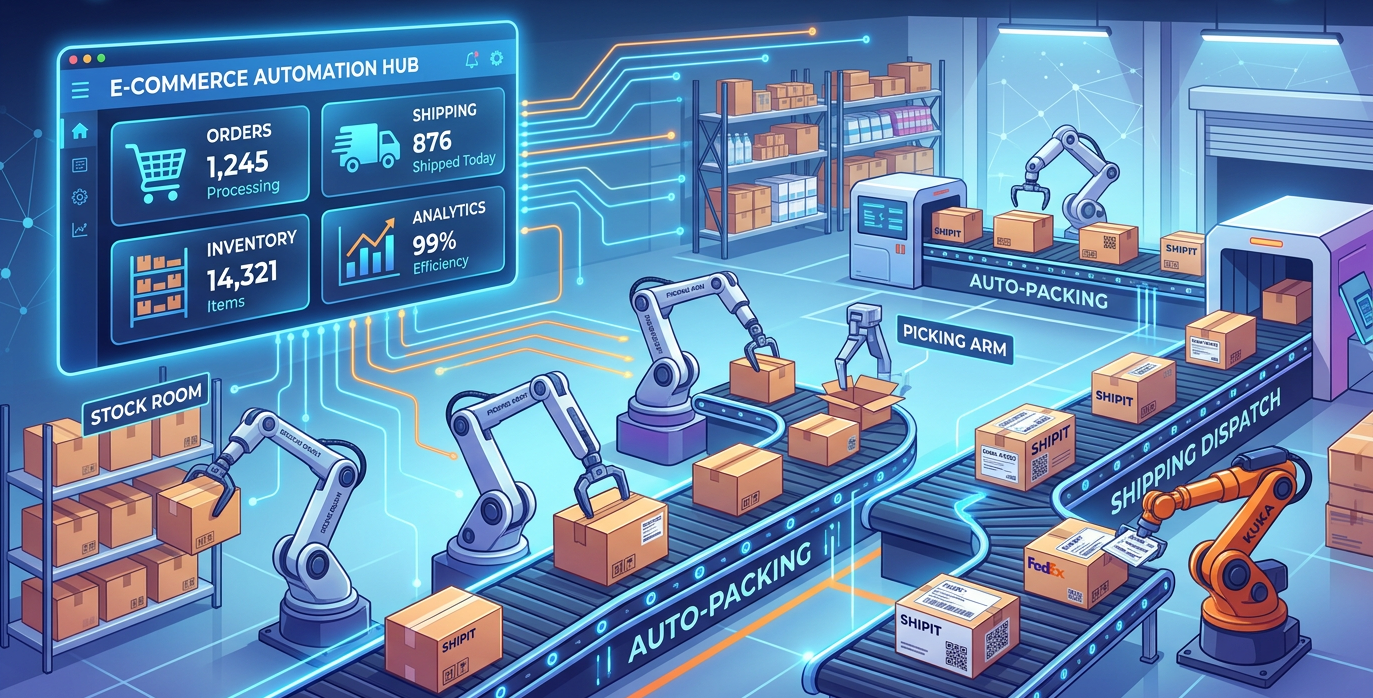
Still processing orders by hand? Discover how e-commerce automation eliminates busywork, reduces errors, and scales your store without hiring more staff.
You Didn't Start a Business to Copy and Paste
It's 11 PM. You're sitting at your kitchen table, manually copying order details from your Shopify dashboard into a spreadsheet, then cross-referencing it with your inventory counts on another tab, then logging into a separate platform to update your stock levels there too. Sound familiar?
You started your online store with a vision, great products, happy customers, maybe even some freedom. Instead, you're spending hours every week doing tasks that feel more like data entry than entrepreneurship. You're sending abandoned cart emails two days too late because you simply forgot. You're processing a return request from a customer while simultaneously realizing your inventory numbers are wrong... again.
This is the unglamorous reality of running a growing e-commerce business without the right systems in place. And the cruel irony is that the more successful your store becomes, the worse this problem gets.
What E-Commerce Automation Actually Means (In Plain English)
Forget the tech buzzwords for a moment. At its core, e-commerce automation is simple: it's a system that watches for events in your business and automatically takes action when they happen.
That's it. An event occurs, and a response fires, without you lifting a finger.
Here's a concrete example. A customer places an order on your store at 2 AM while you're asleep. Immediately, the system updates your inventory count across every platform you sell on. It sends the customer a branded confirmation email. It creates a fulfillment task for your warehouse or fulfillment partner. It even tags the customer in your CRM so they enter the right follow-up sequence later.
Nothing fell through the cracks. No one was sitting at a keyboard making it happen. You just made a sale in your sleep, and your business responded like a well-oiled machine.
This is what e-commerce workflow automation looks like in practice. It's not about replacing the human judgment that makes your brand special. It's about eliminating the repetitive, predictable tasks that drain your time and create costly mistakes.
The best part? You no longer need a developer or a technical team to set this up. No-code automation for online stores has made these systems accessible to any business owner willing to spend a few hours building smarter workflows.
What You'll Learn in This Guide
In this article, we're going to walk you through exactly how to reclaim your time and scale your store without hiring a small army. You'll discover which tasks to automate first, which tools actually work for small-to-medium stores, and how to build your first automated workflow, even if you've never touched a line of code in your life.
Let's dig in.
Order Processing Automation: From Hours of Manual Work to Minutes
If you've ever spent a Saturday morning reviewing a backlog of orders, you know the pain. You're manually checking each order for fraud signals, confirming inventory availability, generating shipping labels one by one, and entering tracking numbers into a spreadsheet. For a store doing 50-100 orders a day, this routine can consume 3-4 hours of staff time, every single day.
That's the reality for most e-commerce stores that haven't implemented order processing automation. And it's not just slow, it's error-prone. A mistyped address, a missed fraud flag, or an oversold SKU can cost you more in returns and customer service than the labor itself.
The Before and After
Before automation: A customer places an order at 11 PM. Your team sees it the next morning, manually verifies it, checks stock, prints a label, and ships it by afternoon, if you're lucky. The customer waits 2+ days just for the package to leave your warehouse. After automation: That same order is verified, fraud-checked, inventory allocated, labeled, and handed to a carrier, automatically, within minutes of purchase. The customer gets a tracking number before they wake up.
Studies consistently show that order processing automation reduces fulfillment processing time by 80% or more. For a team previously spending 20 hours a week on manual order work, that's 16 hours reclaimed.
What E-Commerce Fulfillment Automation Actually Does
When you automate Shopify orders or connect your cart to a fulfillment platform, here's what happens without human intervention:
- Fraud screening runs against rules you define, flagging suspicious orders automatically while letting clean ones flow through
- Inventory allocation routes each order to the correct warehouse or fulfillment center based on stock levels and proximity to the customer
- Carrier rate shopping compares live rates across UPS, FedEx, USPS, and DHL to select the fastest or cheapest option based on your rules
- Label generation happens instantly, with address validation built in to catch errors before they become returns
- Tracking updates push automatically to your store and to the customer via email or SMS
Intelligent warehouse routing is particularly valuable for businesses with multiple fulfillment locations. Instead of manually deciding which warehouse ships which order, the system calculates the optimal split, reducing shipping costs and transit times simultaneously.
The ROI Comes Fast
Most businesses implementing order processing automation see full payback within 2-3 months. The savings come from three directions: reduced labor hours, lower carrier costs from rate shopping, and fewer costly errors like mis-ships and re-deliveries.
For a store doing $500K+ in annual revenue, the math usually works out to tens of thousands of dollars saved per year, with better customer experience as a bonus.
Inventory Synchronization and Management Automation
Here's a scenario every multichannel seller dreads: a customer buys your last unit on Amazon, but your Shopify store still shows it in stock. Minutes later, someone else orders it there. Now you have two angry customers, a cancellation, a negative review, and a refund to process, all from one inventory mistake.
This is the overselling nightmare, and it happens constantly when you manage inventory manually across multiple platforms. Shopify, Amazon, eBay, Walmart Marketplace, and your own website each have their own stock counts, and without real-time inventory sync across channels, those numbers drift apart every single day.
Why Manual Inventory Management Breaks Down Fast
Imagine updating stock levels by hand across four sales channels after every order. Even with a spreadsheet system, you're always working with numbers that are minutes, or hours, out of date. During peak seasons or flash sales, that lag is enough to cause serious overselling problems that damage your seller ratings and customer trust.
Real-time inventory updates solve this by creating a single source of truth. When a sale happens anywhere, every connected channel updates instantly. Your Amazon listing, your Shopify store, and your eBay auction all reflect the same accurate number within seconds.
AI-Powered Forecasting: Stop Guessing, Start Predicting
Synchronization fixes the reactive problem. AI-powered demand forecasting fixes the proactive one, knowing how much stock to hold in the first place.
Modern multichannel inventory management platforms use machine learning to analyze your historical sales data, seasonal trends, and even external factors like holidays or competitor pricing. The results are significant:
- AI demand forecasting reduces excess inventory by 20–40%, meaning you're not tying up cash in products that sit in your warehouse for months
- Stockout rates drop because the system flags slow-moving vs. fast-moving SKUs before you run out
- You can plan purchasing cycles weeks in advance instead of scrambling to reorder
Automatic Reorder Workflows: Inventory That Manages Itself
Pair forecasting with automatic reorder triggers, and your inventory essentially runs itself. You set a minimum threshold, say, 50 units of a top seller, and when stock drops to that level, the system automatically generates a purchase order and sends it to your supplier.
No manual checking. No forgotten reorders. No emergency air-freight costs because you caught it too late.
The Bottom Line: Real Cost Savings
Better inventory management isn't just operationally cleaner, it's financially transformative. Businesses that implement automated multichannel inventory management consistently see:
- 20–30% reduction in warehouse costs from holding less dead stock
- Lower labor costs from eliminating manual stock-counting and order processing
- Fewer lost sales from stockouts and fewer refunds from overselling
For most mid-sized e-commerce businesses, these savings alone cover the cost of an automation platform many times over.
Abandoned Cart Recovery Automation: Recapture the Revenue You're Already Losing
Here's a number that should stop you cold: $260 billion is lost to abandoned shopping carts every single year. Your store is almost certainly contributing to that figure. Between 60-70% of shoppers who add items to their cart leave without buying, and without a system to bring them back, that revenue simply evaporates.
The cruel irony? These are your warmest leads. They found your store, browsed your products, and made a decision to buy. Something, a distraction, a hesitation, a better offer elsewhere, pulled them away at the last second. Abandoned cart recovery automation is how you close that loop.
Why Manual Recovery Always Fails
Timing is everything with cart abandonment. Research consistently shows the optimal recovery window is within the first hour of abandonment. A shopper who walks away at 2pm is most persuadable at 2:45pm, not tomorrow morning when someone on your team finally gets around to sending a follow-up. Manual processes simply can't move that fast, consistently, at scale.
Automation solves this completely.
The Proven 3-Email Recovery Sequence
The most effective automated recovery sequences follow a simple structure:
- Email 1 (Within 1 hour): A friendly, low-pressure reminder showing exactly what they left behind. No discount yet, just a clear path back to their cart.
- Email 2 (24 hours later): Add social proof, address common objections (shipping costs, return policy), and create mild urgency around stock availability.
- Email 3 (72 hours later): Deploy your incentive, a 10-15% discount or free shipping offer to close the deal.
Abandonment emails average a 39% open rate, roughly triple the industry average for standard marketing emails. These messages work because they're relevant, timely, and deeply personal.
Don't Ignore SMS Recovery
If you're only using email, you're leaving serious money on the table. SMS messages carry a 98% open rate and deliver an extraordinary 36.8X ROI. A well-timed text message, sent about 30 minutes after abandonment, can recover carts that email never touches. Used together, SMS and email create a recovery safety net that's genuinely hard to escape.
Personalization Is What Separates Good From Great
Modern abandoned cart automation tools let you personalize recovery messages based on cart contents, order value, and purchase history. A first-time visitor gets a different message than a loyal customer. A cart full of luxury goods gets a different incentive than a $25 order.
Let's Talk Real Money
Consider a store doing $100,000 per month in revenue. With a 65% abandonment rate, roughly $185,000 in potential sales walks out the door monthly. Recovering just 10% of that through automation puts $65,000 back in your pocket annually, often from a tool that costs a few hundred dollars a month to run.
That's not a marketing expense. That's the highest-ROI line item in your budget.
Returns Processing Automation
About 30% of all online orders are returned, and if you're processing those returns manually, you're losing money twice: once on the refund, and again on the labor. Manual returns workflows can drag on for weeks, frustrating customers and tying up your team. E-commerce returns automation compresses that timeline to just a few days, often without a single human touching the process.
Self-service return portals let customers initiate a return, select a reason, and receive a prepaid shipping label, all without emailing your support team. Automated label generation happens instantly, and once the carrier scans the package, your system can trigger an immediate refund or store credit. Customers get resolution fast, and your team gets their time back.
Fraud detection is another underrated benefit. Automation tools can flag "serial returners", customers who repeatedly buy and return high-value items, and apply stricter policies to those accounts automatically. You set the rules once, and the system enforces them consistently.
Perhaps the most valuable feature is the analytics layer. When your returns platform captures why every product is being sent back, patterns become impossible to ignore. If 40% of returns on a specific jacket cite "sizing runs small," that's a product description problem you can fix in an afternoon. If a particular SKU has a 35% return rate while similar items sit at 8%, something is wrong with the product photos or the quality. Returns automation turns costly refunds into actionable product intelligence.
Post-Purchase Customer Communication
Here's a number worth pausing on: post-purchase emails achieve 217% higher open rates than standard marketing emails. Your customer just handed you their credit card, they are paying attention right now. Post-purchase email automation lets you capitalize on that attention with perfectly timed, relevant messages that build loyalty instead of leaving customers wondering what happens next.
A well-built automated sequence looks like this:
- Order confirmation (sent immediately): Reassures the customer, summarizes what they bought, and sets delivery expectations.
- Shipping notification (triggered when label is created): Includes a tracking link and a realistic delivery window.
- Delivery confirmation (triggered by carrier scan): A short, friendly check-in acknowledging the package arrived.
- Review request (sent 5–7 days post-delivery): Asks for feedback once the customer has actually used the product.
This sequence alone eliminates a huge portion of "Where's my order?" support tickets, often called WISMO tickets, which can account for up to 40% of e-commerce support volume. When customers always know exactly where their order is, they simply don't need to ask.
The repeat purchase impact is equally significant. Businesses that implement structured post-purchase nurturing sequences report 25–40% increases in repeat purchase rates. That's not from aggressive discount campaigns, it's from consistent, helpful communication that makes customers feel like they're dealing with a brand that actually cares.
You can layer in loyalty program reminders, personalized product recommendations based on what they just bought, and anniversary or replenishment triggers for consumable products. All of it runs automatically, in the background, while you focus on other parts of the business.
The math is simple: a customer who buys twice is worth far more than the cost of the automation that brought them back.
Dynamic Pricing Automation
If you're setting prices once and leaving them unchanged for weeks, you're almost certainly leaving money on the table. Markets shift constantly, competitors run flash sales, suppliers raise costs, and demand spikes happen overnight. Static pricing can't respond to any of that.
Dynamic repricing automation solves this by continuously monitoring competitor prices, marketplace conditions, and your own inventory levels, then automatically adjusting your prices across every sales channel. On Amazon specifically, this is a game-changer. The Buy Box, that coveted "Add to Cart" button, is heavily influenced by price competitiveness. Sellers using dynamic repricing automation routinely see measurable improvements in Buy Box win rates, which directly translates to more sales.
The profitability numbers are compelling. Most businesses implementing automated repricing strategies report a 10–20% improvement in overall profitability within the first few months. That's not just from winning more sales, it's also from capturing higher prices when competitors go out of stock or demand surges.
The legitimate concern here is triggering a race to the bottom. Nobody wants a pricing war that destroys margins. That's why any serious repricing tool uses guardrails, minimum price floors you set based on your actual costs. The system will never drop below your defined margin threshold, no matter what competitors do. You stay competitive without ever accidentally selling at a loss.
Multichannel Listing Management
If you sell on more than one platform, you already know the pain. Creating a single product listing once is straightforward. Creating and maintaining that same listing across Shopify, Amazon, eBay, Etsy, and TikTok Shop, each with different character limits, image requirements, category structures, and keyword strategies, is a part-time job on its own.
Multichannel listing management centralizes all your product data in one place and automatically adapts it for each platform's requirements. You update a product title or swap an image once, and every channel reflects that change within minutes. No spreadsheets. No copy-pasting. No version-control nightmares where your Amazon listing says something different than your Shopify store.
Modern tools take this further with AI-generated product titles and descriptions. Instead of manually rewriting copy for each platform's audience and algorithm, the system generates optimized variations automatically, conversational language for TikTok, keyword-dense descriptions for Amazon, benefit-focused copy for Etsy.
The operational impact is significant. Businesses that previously spent days on bulk product uploads, manually entering thousands of SKUs one by one, can complete the same task in minutes using bulk upload capabilities built into multichannel management platforms.
Consistent pricing and inventory sync across channels is the other major win. Overselling a product because your eBay inventory didn't update after an Amazon sale is an avoidable, reputation-damaging mistake. Proper e-commerce workflow automation at the listing level eliminates it entirely, keeping every storefront accurate in real time.
Where to Start
The biggest mistake e-commerce operators make with automation is trying to do everything at once. A phased approach keeps you from getting overwhelmed and ensures each automation actually works before you build on top of it.
Here's a 90-day roadmap that works:
Days 0–30: Diagnose and decide. List every repetitive task your team handles in a week. Identify your top three pain points, the ones costing the most time or causing the most errors. Then choose your automation platform based on your tech stack, budget, and how complex your workflows need to be. Days 31–60: Build your first automation. Don't start with something ambitious. Start with abandoned cart recovery or inventory sync, they're well-defined, measurable, and deliver fast results. Build it, test it in a staging environment, and let it run live for two to four weeks. Watch the numbers. Days 61–90: Expand and optimize. Once your first workflow is stable and performing, layer in additional automations: order routing, customer segmentation, review requests, supplier alerts. Review what's working, tighten the logic, and document everything so your team understands what's running and why.
Businesses that follow a structured rollout like this consistently see 300–500% ROI from automation within the first year, with most reporting a payback period of just three to six months. The math isn't complicated, if automation saves your team 20 hours a week and recovers even a fraction of your abandoned carts, it pays for itself quickly.
Why Smart E-Commerce Operators Choose n8n
There's no shortage of automation tools. But serious operators, the ones running high-volume stores, complex multi-channel setups, or lean teams doing the work of much larger ones, tend to land on n8n for a few clear reasons.
No per-task fees. Zapier charges by the task, which sounds fine until you're running thousands of automations a day. At high volume, Zapier bills can hit $500/month or more. Make (formerly Integromat) is more affordable but hits real limitations when workflows get complex. n8n's self-hosted option gives you truly unlimited executions, your costs don't balloon as your business grows. 400+ integrations out of the box. Shopify, WooCommerce, Amazon, eBay, Klaviyo, QuickBooks, Google Sheets, Slack, every major shipping carrier, it's all there. If something isn't natively supported, you can connect it via API without writing much (or any) code. Visual workflow builder. Most automations can be built by dragging, dropping, and configuring, no developer required. For the workflows that do need custom logic, n8n supports JavaScript expressions so your technical team has full flexibility. Your data stays yours. Because n8n is open source and can be self-hosted, you're not routing sensitive customer and order data through a third-party cloud you don't control. For businesses with compliance requirements or simply a preference for data ownership, that matters.
This isn't about brand loyalty, it's about picking the right tool for the job. At scale, n8n delivers enterprise-grade power at a fraction of what enterprise software costs.
Ready to Stop Doing Everything Manually?
If you're still copying orders into spreadsheets, manually following up on abandoned carts, or losing sleep over inventory discrepancies, you already know this isn't sustainable. Growth shouldn't mean more chaos.
Automation is how lean e-commerce teams compete with operators ten times their size. The technology is accessible, the ROI is proven, and the only real barrier is knowing where to begin.
Get the Free plan now → to explore real automation templates built for e-commerce, step-by-step getting started guides, and a community of operators solving the exact same problems you're facing.
Your time is worth more than manual tasks. Go reclaim it.


