9000+ Workflows at Your Fingertips: Exploring the N8Nme Library
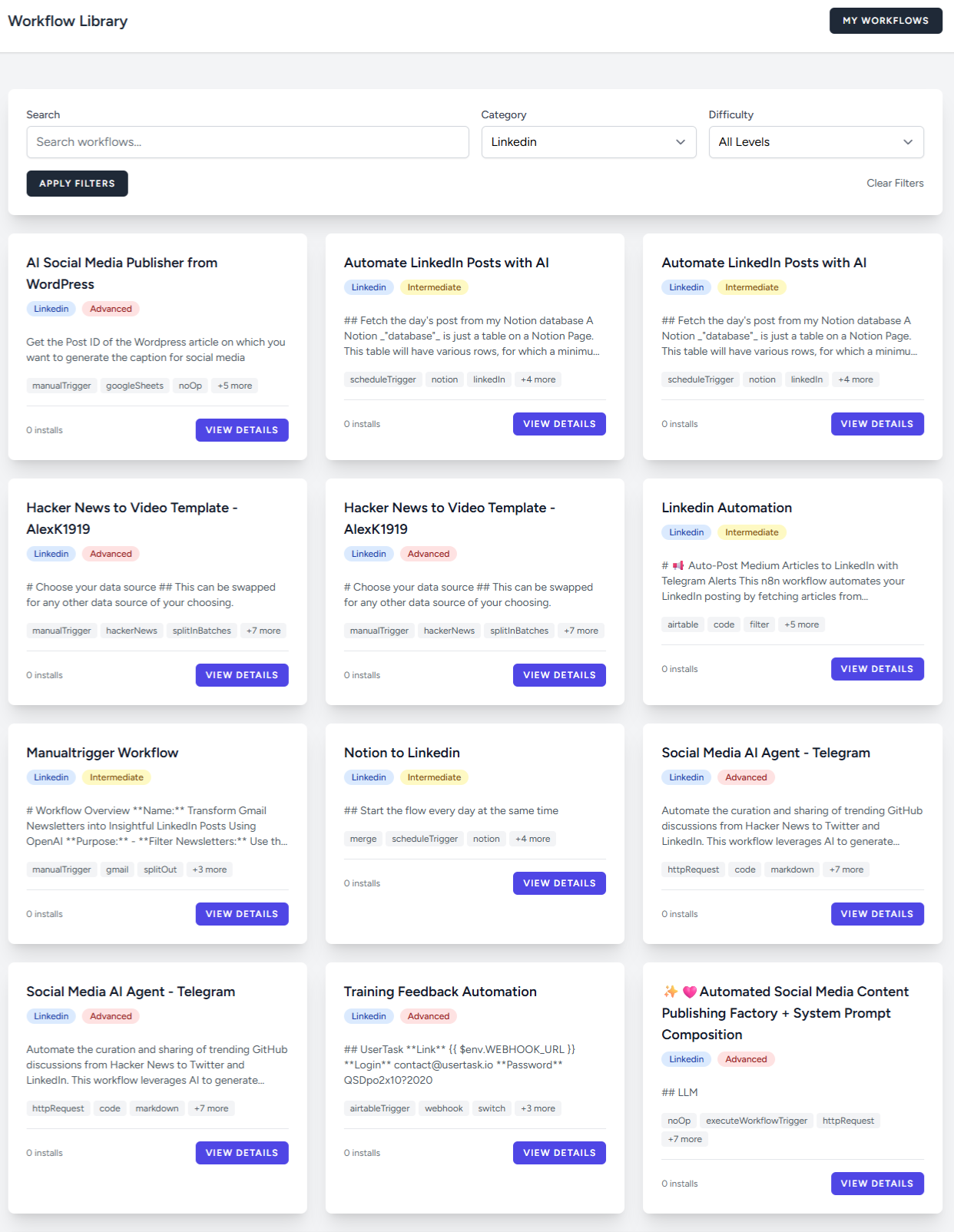
Discover thousands of pre-built workflows in the N8Nme library. From simple automations to complex integrations, find the perfect workflow or get inspired for your next project.
The Power of Pre-Built Workflows
Building workflows from scratch is educational, but it's also time-consuming. When you're trying to connect your CRM to your email marketing tool, or automate invoice processing, you probably don't want to spend hours figuring out the perfect node configuration. You want it to just work.
That's why we've built the N8Nme Workflow Library, a curated collection of 9,000+ ready-to-use workflows that you can install with a single click and customize to your needs.
What's in the Library?
Our workflow library is organized into 170+ categories, covering virtually every popular service and use case:
🤖 Communication & Messaging
- Telegram - Bot automations, message scheduling, group management
- Slack - Channel management, notifications, team workflows
- Discord - Server automation, moderation, notifications
- WhatsApp - Message automation and business workflows
📧 Email & Marketing
- Gmail - Email parsing, auto-responses, label management
- Mailchimp - List management, campaign automation
- SendGrid - Transactional email workflows
🗃️ Data & Databases
- Google Sheets - Data synchronization, reporting, analysis
- Airtable - Database automation, record management
- MySQL/PostgreSQL - Database operations and ETL workflows
💼 Business Tools
- Notion - Database sync, page creation, content management
- Trello - Card automation, board management
- Asana - Task automation, project management
🛒 E-commerce
- Shopify - Order processing, inventory management
- WooCommerce - Store automation, customer management
- Stripe - Payment processing, subscription management
🤖 AI & ML
- OpenAI - GPT integrations, text generation, analysis
- Anthropic Claude - Advanced AI workflows
- Hugging Face - ML model integrations
And this is just a small sample! With 9,000+ workflows, you'll find automations for almost any task you can imagine.
How to Use the Library
1. Browse & Search
Visit the Workflow Library from your dashboard. You can:
- Search by keyword - Find workflows containing specific terms
- Filter by category - Browse all Telegram workflows, or all OpenAI workflows
- Filter by difficulty - Start with beginner workflows if you're new to N8N
2. Preview the Workflow
Click on any workflow to see its details:
- Description - What does this workflow do?
- Node count - How complex is it?
- Tags - Related services and use cases
- Difficulty level - Beginner, intermediate, or advanced
3. Install with One Click
Found a workflow you want to try? Click "Install Workflow". Within seconds, the workflow appears in your N8N instance, ready to customize.
Note: Installation respects your plan's workflow limits. Free tier users get 1 workflow, Starter gets 5, Pro gets 15, and Expert gets 50.
4. Customize to Your Needs
Open the workflow in N8N and customize it:
- Add your API credentials
- Adjust triggers and conditions
- Add or remove nodes
- Test and activate
Every workflow comes with the full configuration, so you can see exactly how it's built and modify it however you need.
Featured Workflow Examples
"Automated Customer Support Ticket Triage"
Nodes: 12 | Difficulty: Intermediate
Automatically categorize incoming support emails using AI, create tickets in your helpdesk system, and notify the appropriate team based on urgency and topic.
"Social Media Content Scheduler"
Nodes: 8 | Difficulty: Beginner
Schedule posts across Twitter, LinkedIn, and Facebook from a single Google Sheet. Includes image uploads and optimal posting times.
"E-commerce Order Processing Pipeline"
Nodes: 15 | Difficulty: Advanced
Complete order fulfillment workflow: Shopify order webhook → inventory check → payment verification → shipping label generation → customer notification → analytics update.
"Daily AI-Generated News Digest"
Nodes: 10 | Difficulty: Intermediate
Fetch articles from RSS feeds, summarize them with OpenAI, format as a newsletter, and send via email or Telegram. Runs daily at 8 AM.
Workflow Difficulty Levels
Beginner
Simple, straightforward workflows with 3-5 nodes. Perfect for learning N8N basics. Usually involves:
- One trigger (webhook, schedule, or manual)
- Simple data transformation
- One action (send email, create record, post message)
Intermediate
More complex automations with 6-12 nodes. Includes:
- Conditional logic (IF nodes)
- Multiple API calls
- Data transformation and formatting
- Error handling
Advanced
Sophisticated workflows with 13+ nodes. Features:
- Complex branching logic
- Multiple integrations working together
- Custom code nodes (JavaScript/Python)
- Advanced error handling and retry logic
- Database operations
Contributing to the Library
Built an awesome workflow you think others would find useful? We'd love to add it to the library! Here's how:
- Export your workflow from N8N (JSON format)
- Email it to workflows@n8nme.com with a description
- We'll review it, add documentation, and publish it
- Get credit as the workflow author
Popular contributions get featured in our newsletter and on the homepage!
Tips for Using the Library Effectively
Start with Templates
Even if a workflow doesn't do exactly what you need, it might be 80% of the way there. Install it, study how it works, then modify it. This is much faster than building from scratch.
Learn from Advanced Workflows
Don't be intimidated by complex workflows. Open them up and see how experienced users structure their automations. You'll learn patterns and techniques you can apply to your own workflows.
Mix and Match
Install multiple workflows and combine the best parts of each. Take the trigger logic from one, the data transformation from another, and the actions from a third.
Customize, Don't Just Copy
While our workflows work out of the box, the real power comes from customization. Add your business logic, adjust for your specific tools, and make it truly yours.
Start Exploring
Ready to save hours of configuration time? Browse the workflow library and discover your next automation. With 9,000+ workflows and growing, you're bound to find something that inspires your next project.
Not sure where to start? Try searching for the tools you already use, chances are, we have workflows that connect them!


